
Beetle label maker and support for 7 languages!
You can now make labels for your breeding cases in a layout of your own. Scan a label’s QR code and that beetle’s page opens right away. And the app is now available in seven languages.
- Make beetle labels
Drag the items you want, such as species, scientific name, generation, eclosion date and a QR code, to wherever you like, and make labels that fit A4 label sheets (12 or 24 labels). Check the result in the preview, then print it on your printer with your iPhone’s or Android’s print feature, or share it as a PDF.
- Scan QR codes from the search field
Scan a beetle label’s QR code with the QR button in the My beetles search field, and that beetle’s page opens.
- Scientific names
A beetle’s details and the species picker now show the scientific name under the species name.
- Now in 7 languages
Japanese, English, Simplified Chinese, Traditional Chinese, Korean, Thai and Indonesian. Switch anytime from “Language” in the menu. iPhone widgets and Apple Watch follow the app’s language, too.
- What’s new
This page. Open it from the app’s menu or from an update notice.
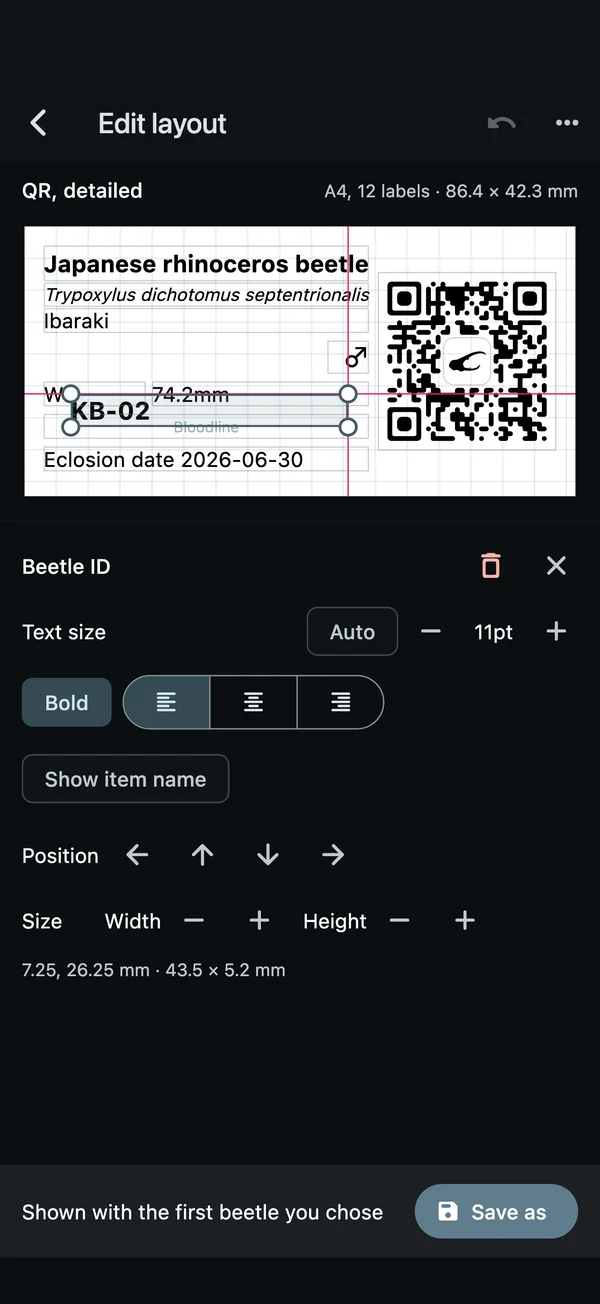
Drag items and they snap into line 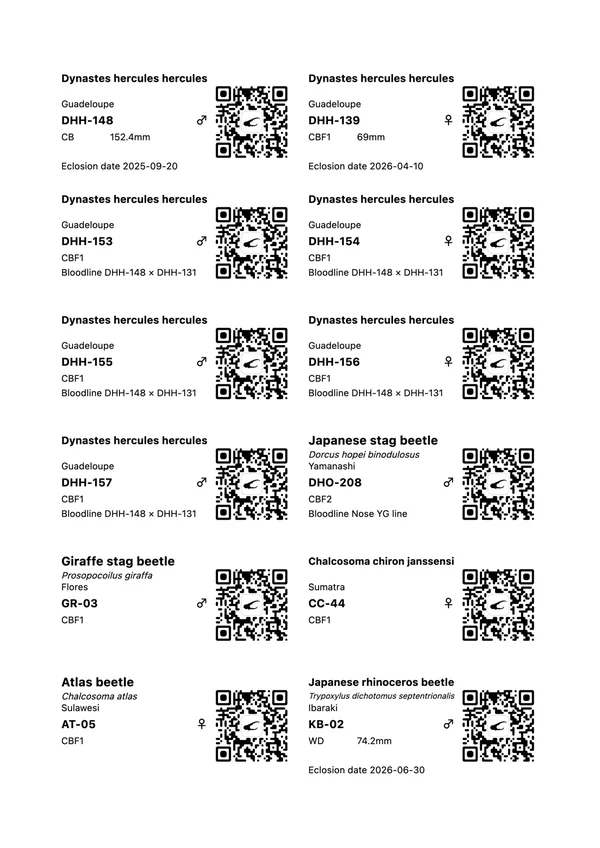
Straight onto A4 label sheets 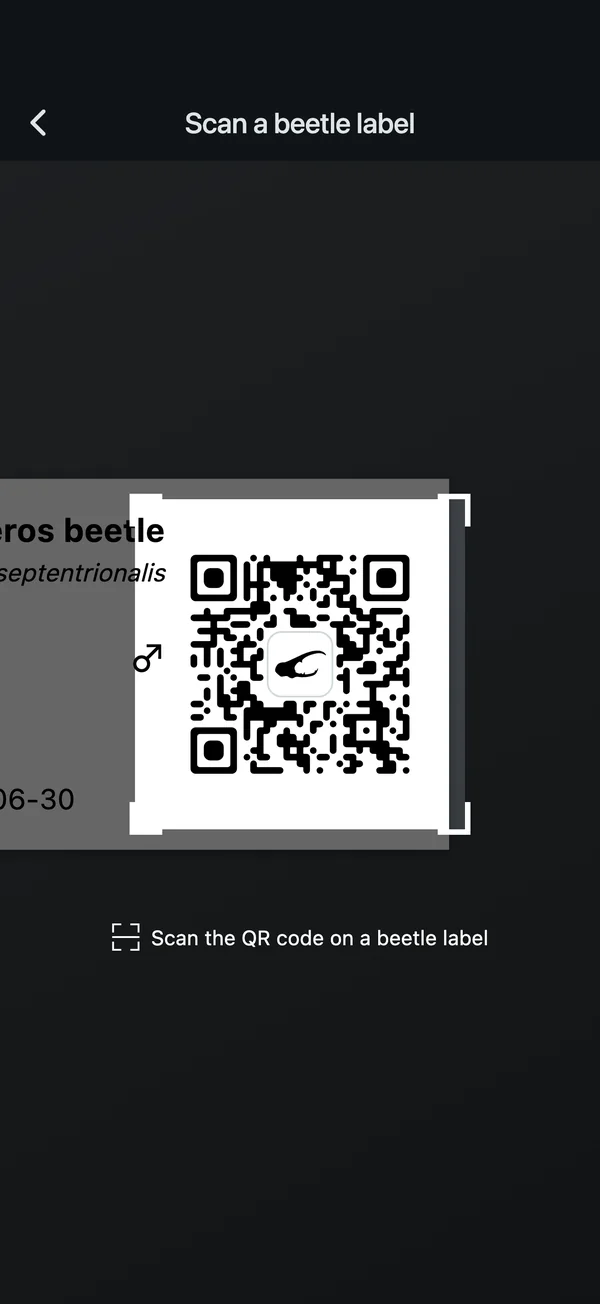
From the search field’s QR button to the beetle 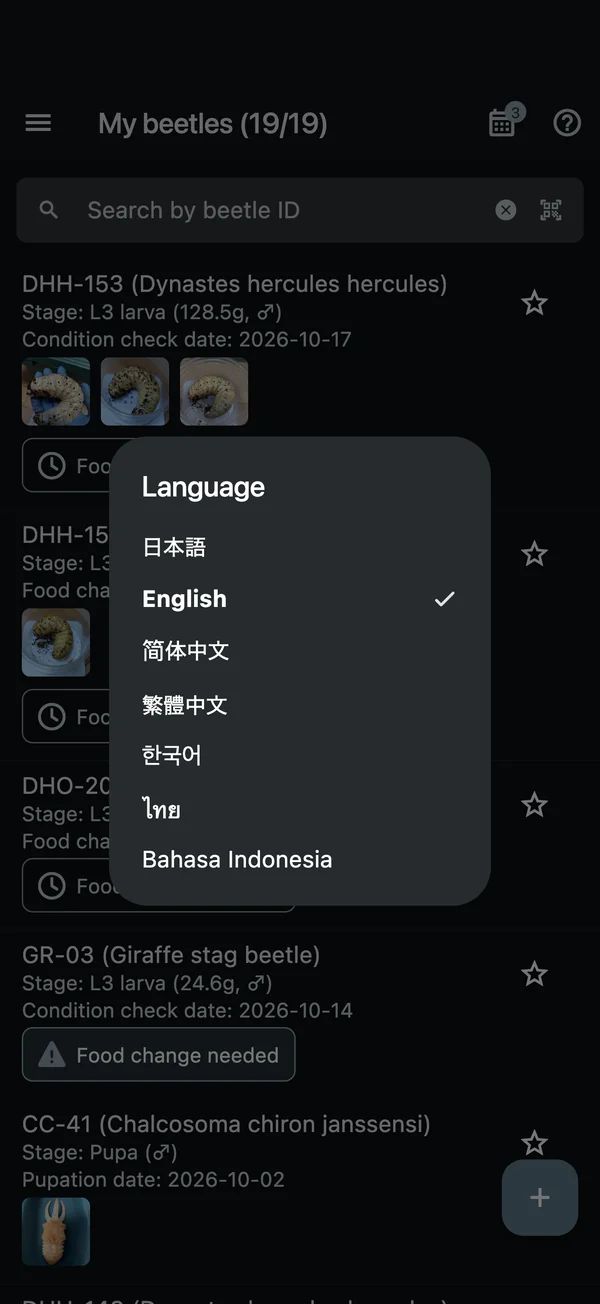
Switch anytime from “Language” in the menu
Beetle label printing, the three ready-made layouts and editing, and QR code scanning are free for everyone. You can save one layout of your own for free, or as many as you like with KKLOG Plus.
More about beetle labelsNever miss a food change or harvest!
This update focuses on features that help you stay on top of food changes and harvests.
- Food change alerts
Beetles nearing their due date now show “Food change in X days” too. When you add a beetle, an alert interval is added for its species automatically.
- Sorting and latest logs
Sort My beetles by “Food change due (soonest first)” and more, and the list shows the value you sorted by and the date of the latest log.
- Harvest timing
Enter the laying set date and the days until harvest in a breeding memo to see when it’s time to harvest.
- Notifications at the time you set
Food change and harvest reminders arrive as notifications at the time you set.
- Schedule calendar
See your food changes and harvests on a monthly calendar.
- Community beetles and Rankings
Community beetles are now listed by the date of their latest log. In the Raise & Battle Game, you can see length “Rankings” for each species.
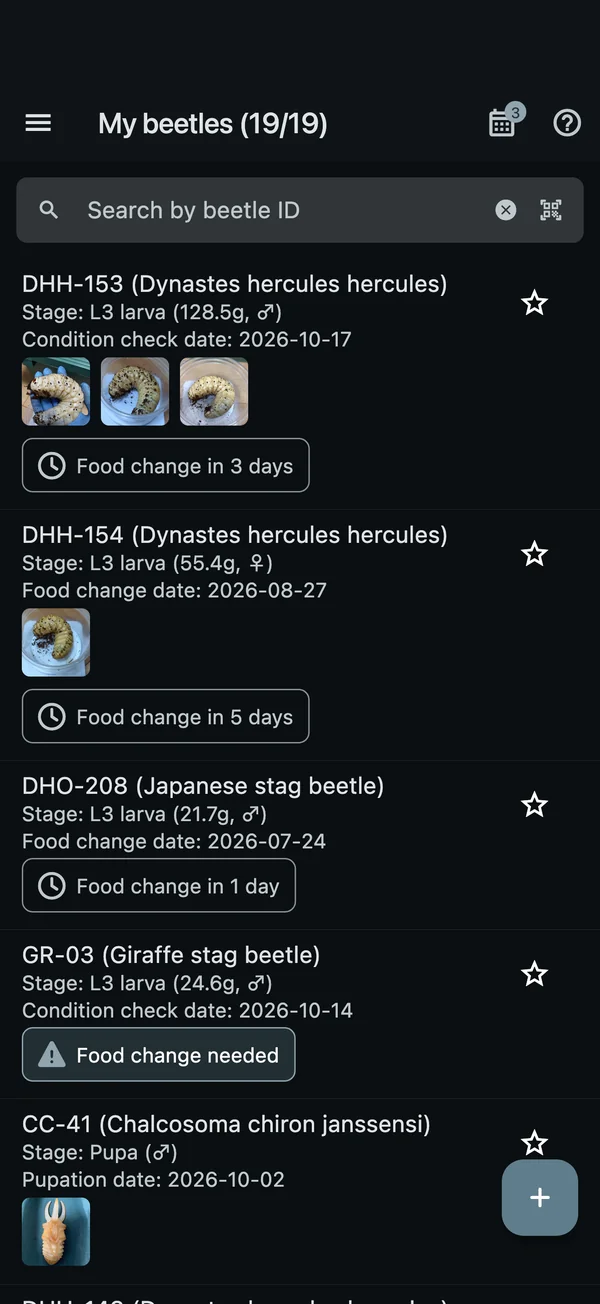
Days until the next food change, right in the list 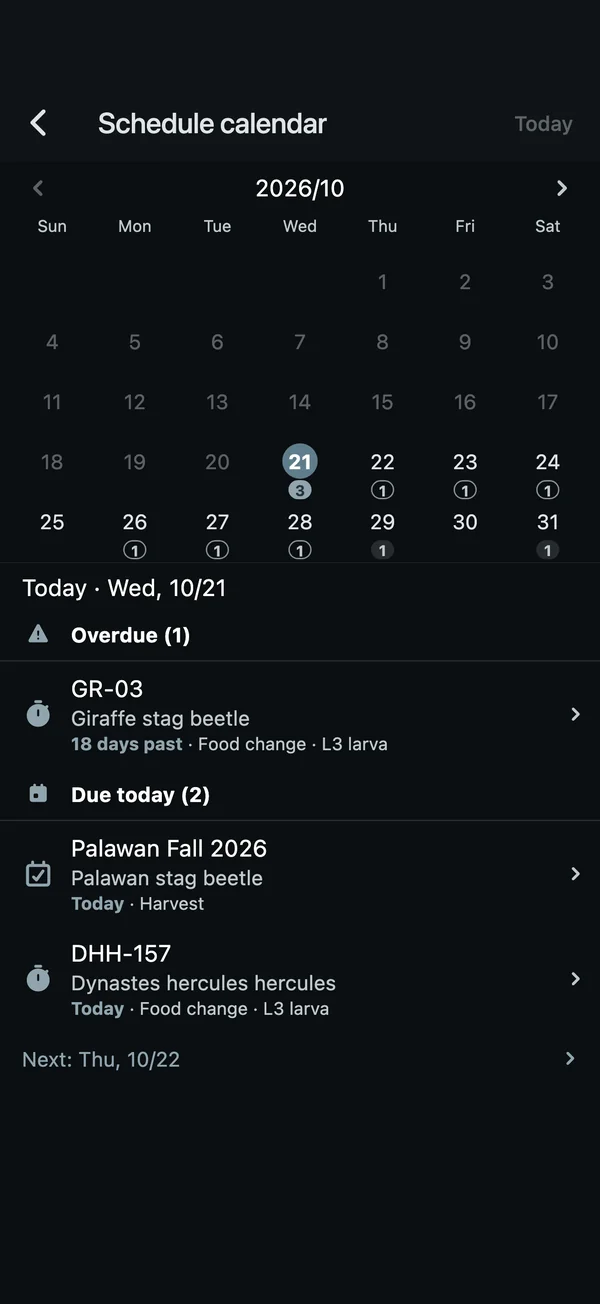
Today’s tasks and what’s next 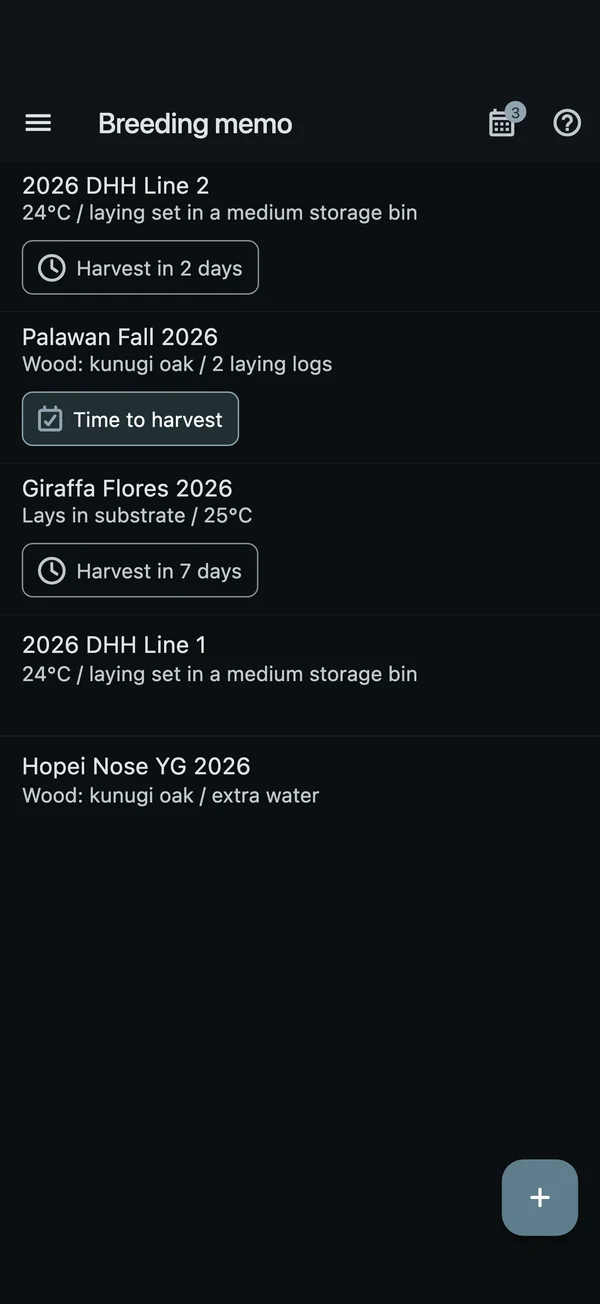
Harvest timing, right in the list 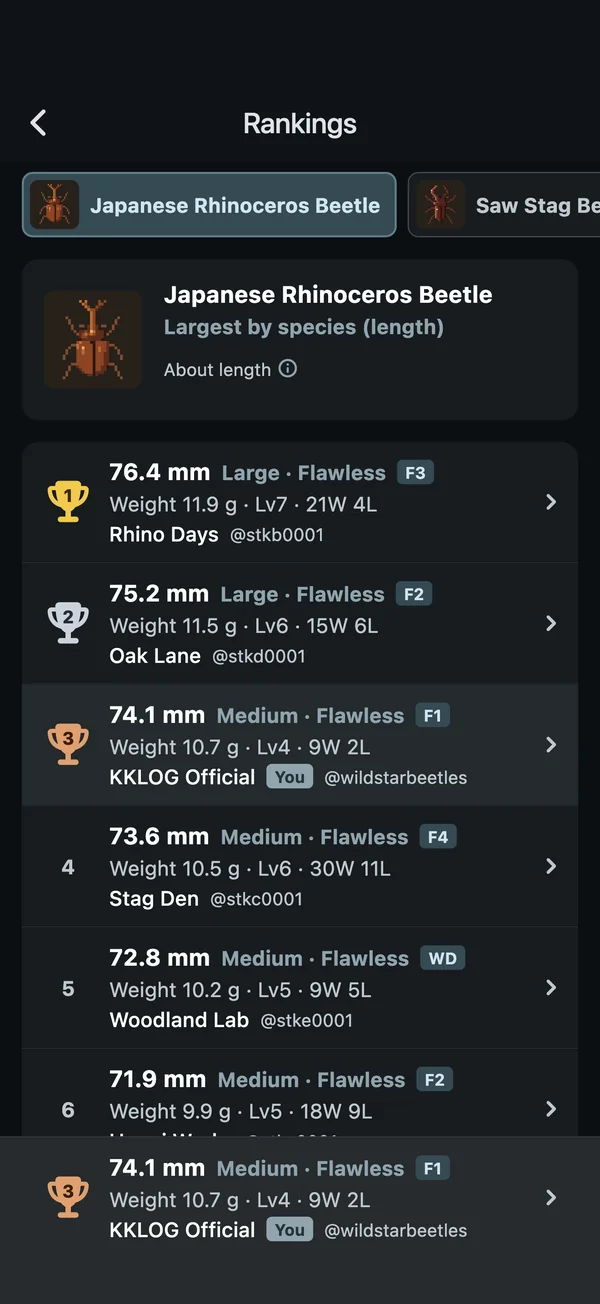
Compete on length, species by species
The Raise & Battle Game is here!
The Raise & Battle Game has arrived on KKLOG’s “Game” tab. Friends, widgets, Apple Watch and new ways to log in were added too.
- Raise from an egg
Raise a virtual, game-only beetle from an egg. With daily care, the larva grows bigger, and one day it finally ecloses.
- Battle with Rock, Scissors, Paper
Take your adult into Rock, Scissors, Paper showdowns and challenge the forest guardians.
- On to the next generation
Every new beetle starts from an egg in the “Egg cup”. Eggs you find in battles and eggs from laying sets alike carry your line on to the next generation.
- Friends and My QR
People who follow each other are “friends”. You can battle your friends, and with KKLOG Plus, your family on the same phone too. When you meet, follow each other on the spot with My QR.
- Widgets and Apple Watch
Home Screen and Lock Screen widgets on iPhone, and Apple Watch, show how your game beetle is doing at a glance.
- Login and Account settings
You can now log in with an Apple or Google account. In “Account settings”, you can link or unlink them, or delete your account.
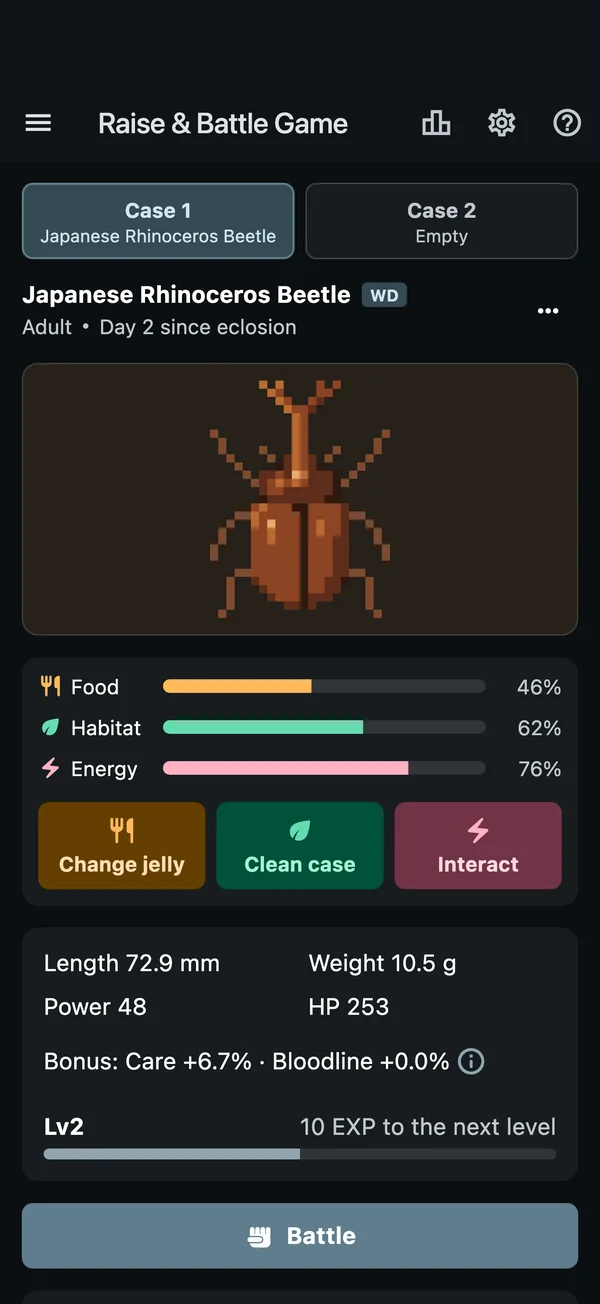
Daily care for a fine adult 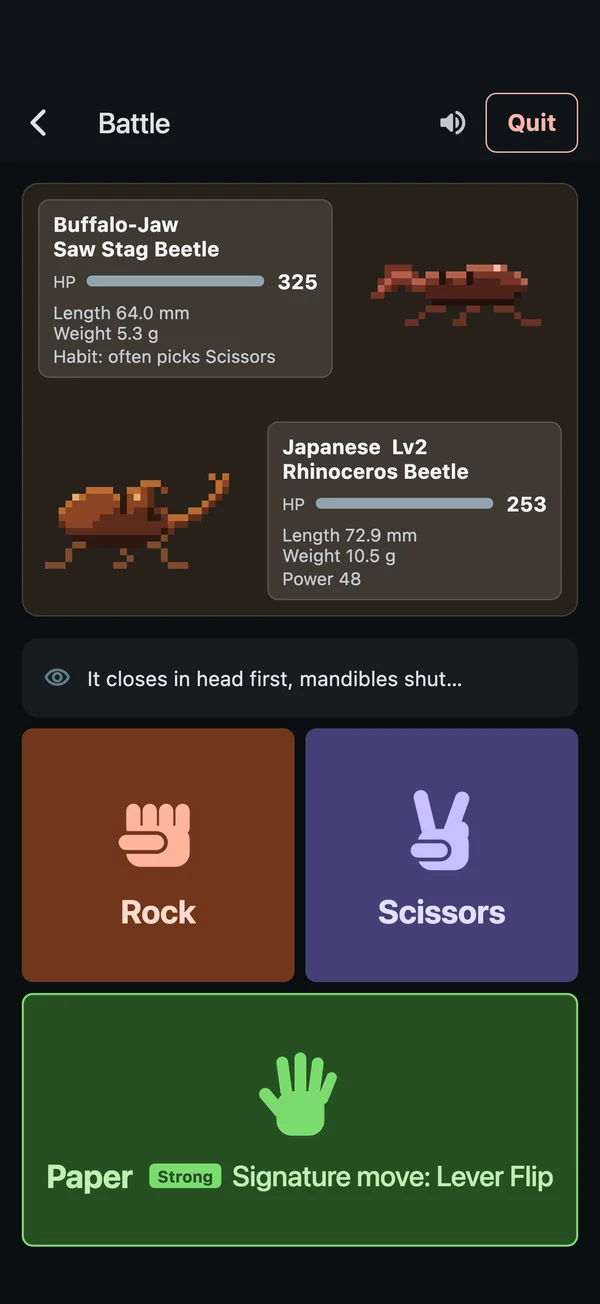
A real Rock, Scissors, Paper showdown 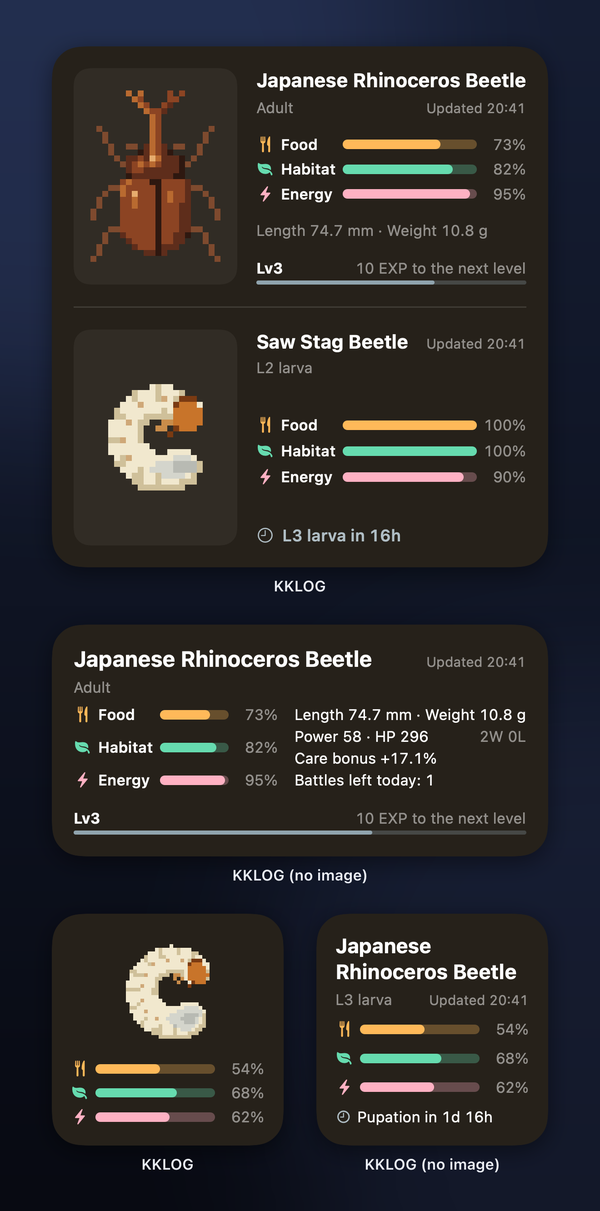
Home Screen 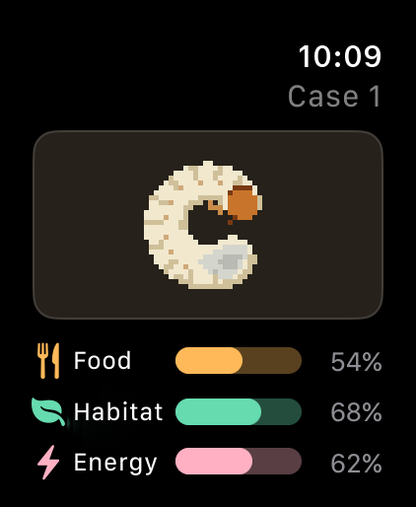
Apple Watch: check in at a glance
The beetles in the game are virtual and exist only in the game. No real beetles are made to fight.
More about the Raise & Battle GameGet started with KKLOG
Download it free from the App Store or Google Play. You can also use the web version in your browser with the same account.
- App StoreiPhone and Apple Watch
- Google PlayAndroid
- Web versionIn your browser